


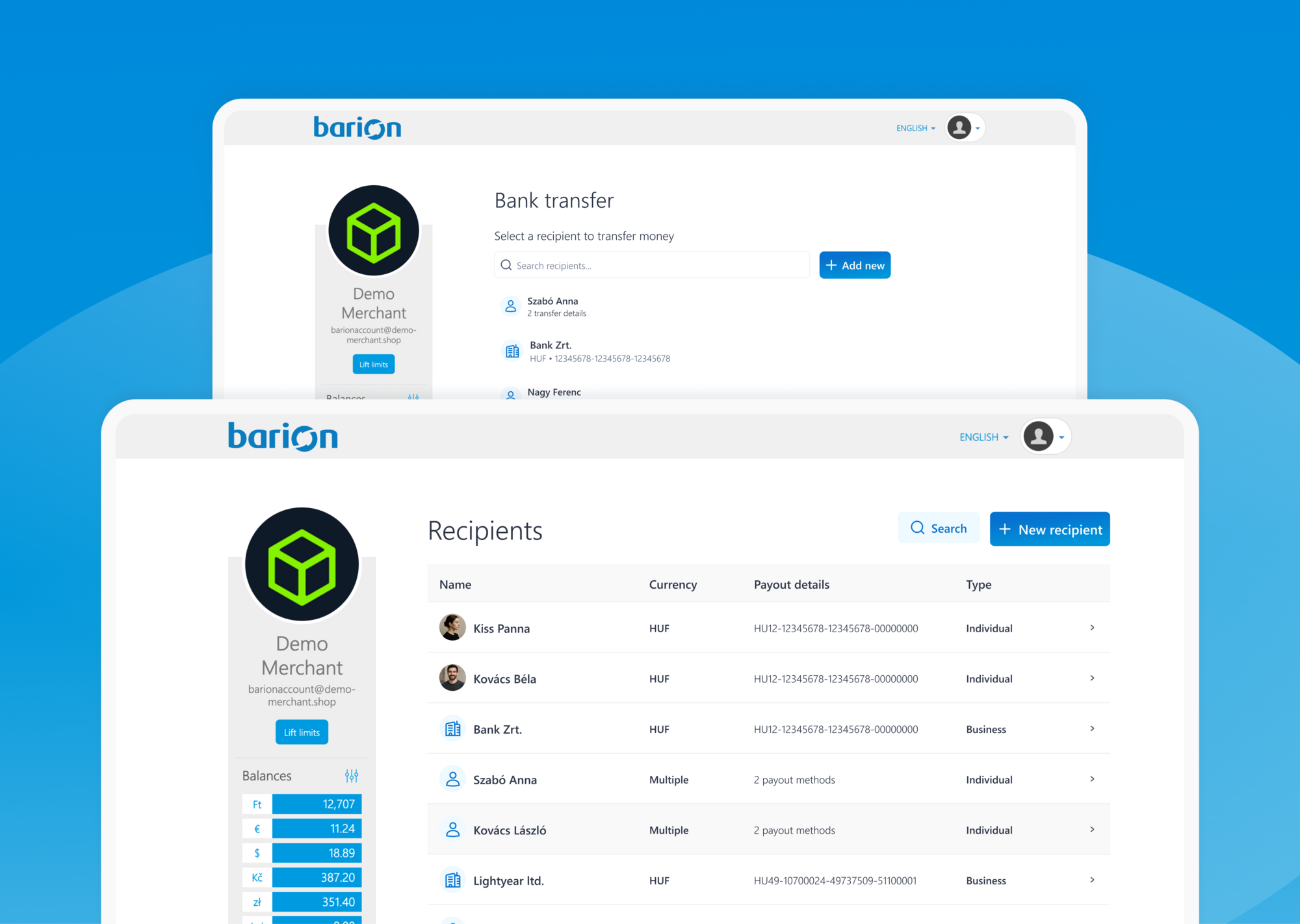
If you regularly transfer money to the same people or businesses, you will eventually run into the same issue: you need to look up the account number again, double-check the name, select the right currency, and make sure every detail is entered correctly. For a one-off transfer, that may not seem like a big deal. But when it happens again and again, it quickly adds up.
That is exactly where the reworked Contact list in Barion Wallet can help. It keeps your frequently used transfer contacts in one place, makes them easier to find, and saves you from starting from scratch every time you want to send money.
The feature is available on secure.barion.com, within your Barion user profile, under the Contact list section in the menu on the left. You can also add a new contact while making a bank transfer, and the system will automatically save them to your Contact list.
What information can you save for a contact?
In the Contact list, you can manage details such as the country of the contact’s bank, the transfer currency from the currencies enabled in your Wallet, the account number, or IBAN for international transfers, and the first name and last name or company name of your partner.
A single contact can have multiple bank accounts linked to them, and contacts can be searched by name. You can also edit the contact’s name, and the system imports your previous Barion transfer history, so you do not always have to build your list from scratch.
Where can this be useful?
Here are a few common examples where saving contacts can make everyday transfers easier.
1. When you regularly transfer money to the same business partner
This is probably the most obvious use case. Many businesses repeatedly send money to the same recipients: suppliers, accountants, external specialists, subcontractors, or service providers.
In these cases, it is simply more convenient not to look up the recipient’s details every single time. Having a saved contact can make the process faster, reduce manual data entry, and lower the chance of making a typo in a name or bank account detail.
2. When one contact has multiple bank accounts or payment details
It is not unusual for one recipient to use more than one bank account. They may have separate accounts for different currencies, separate domestic and international account details, or simply multiple accounts used in different situations.
That is where it becomes especially useful that you can save multiple bank accounts under one contact. Instead of keeping track of everything in scattered notes or old email threads, you can keep the relevant details in one place.
3. When you need to transfer money to an authority or official recipient from time to time
Some transfers are not part of your daily routine, but still come up regularly. This can include certain tax-related or official payments where the recipient stays the same.
In these situations, the Contact list helps by keeping recurring recipient details close at hand, so you do not have to gather them again every time. That makes the process not only more convenient, but also easier to manage.
4. When you often send money to the same person as a private user
The Contact list is not only useful for merchants. Personal users can benefit from it just as much.
For example, if you regularly transfer rent, send money to a family member, or repeatedly pay shared household costs, tuition, or other recurring expenses, things become much simpler when the recipient is already saved in the system.
5. When you want to stay organized while making transfers
Not everyone likes setting up a list in advance. Quite often, the more natural workflow is to realize during a transfer that you will probably need this recipient again later.
Barion supports that too: you can add a new contact directly from the Bank transfer section, and the system will save them to your Contact list. This is useful because it lets your list grow naturally as you use it, without requiring extra admin work.
6. When you want transfers to be faster and easier to manage
Sometimes a feature is useful not because of one major use case, but because it makes everyday money management feel more organized overall.
The Contact list can be exactly that kind of tool. When your frequent recipients are searchable by name and stored in one place, recurring transfers become easier to handle. This is especially helpful if you work with several partners, use multiple currencies, or manage both business and personal transfers.
Who can benefit most from it?
In short: almost anyone who sends money to the same recipient more than once. Merchants, small business owners, freelancers, business users and personal users alike.
The common factor is not what kind of user you are, but whether you have recurring recipients to whom you send money.
Where can you find it?
The Contact list is available on secure.barion.com, inside your Barion profile, in the menu on the left. And if you add a new contact while making a transfer, the system will automatically save it to the list.
If you often send money to the same people or businesses, it is worth trying out. And if you do not have a Barion account yet, you can access this feature after signing up.
Try out Barion Metrics
Learn more about Barion Metrics and get started with us today.

 Facebook
 Discord dev community
 @BarionPayment


 EU Licensed & Regulated Financial Institution